
Why Offline POS for ERPNext: The Business Case for Uninterrupted Retail Billing
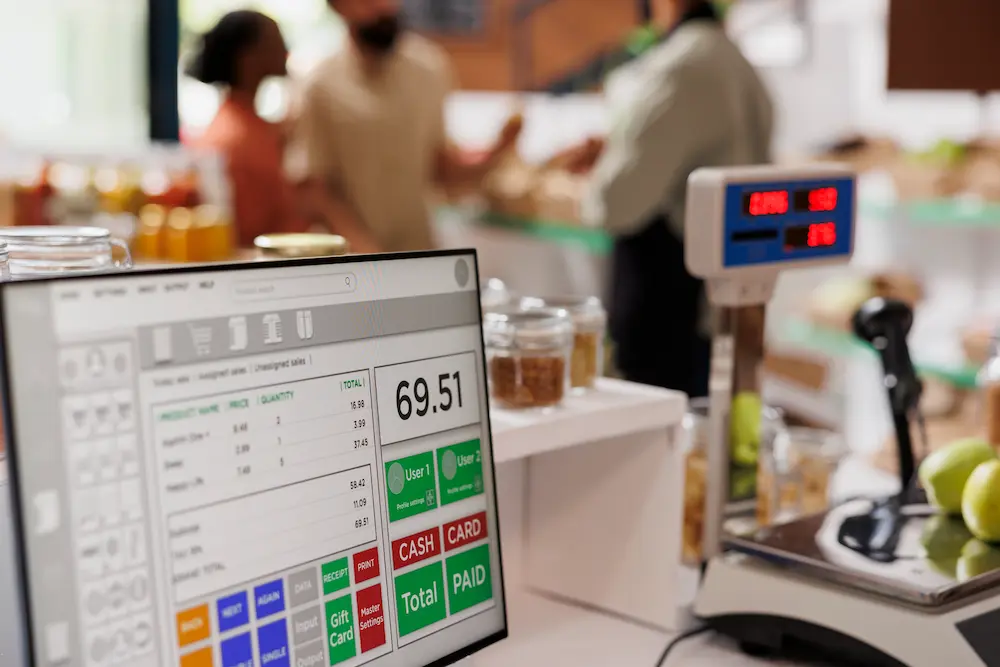
Offline POS for ERPNext is no longer optional for serious retail businesses. It is a practical requirement for business continuity. When internet slows down, the ERP server is unavailable, or branch connectivity drops, checkout should still work without interruption. That is exactly the promise of a robust offline POS architecture.
The 9T9 IT approach focuses on a dedicated application model with local database capability and controlled synchronization to ERPNext. This allows stores to continue billing, protect customer experience, and avoid revenue leakage during outages. In high-traffic environments such as supermarkets, pharmacies, and specialty retail, every minute of POS downtime has a direct financial cost. Offline POS closes that risk gap by keeping sales operations active, fast, and manageable even when network conditions are unstable.
Rationale for Building Offline POS
1. Browser-Based POS Is Not Built for Checkout-Critical Stability
Browser-based POS systems are attractive because they are quick to deploy and easy to access, but they come with reliability trade-offs that become obvious in real store operations. Browsers are designed for general web interaction, not for sustained transaction processing under peak checkout load. In a retail queue, even small interruptions cause measurable damage: accidental tab closure, page refresh, extension conflicts, memory pressure, or session timeouts can break cashier flow and increase billing delays.
Another challenge is inconsistency across branches. Different browser versions, local settings, plugins, hardware drivers, and OS patch levels can create unpredictable behavior from one terminal to another. A workflow that performs well at one location may lag at another. This lack of uniformity increases support effort and reduces trust in daily operations. Cashiers end up adapting to system quirks instead of focusing on service speed.
There is also an operational governance issue. Browser environments can drift over time through ad hoc usage, extra tabs, or non-POS browsing, making checkout terminals harder to control. For organizations scaling to multiple counters or stores, this is not sustainable. A dedicated offline POS client standardizes behavior, improves transactional consistency, and removes dependence on browser runtime volatility. In short, moving beyond browser-first POS is a reliability decision, not just a technical preference.
2. Internet Dependency at Login and Closing Creates High-Risk Failure Points
Some POS setups are called "offline," but still require live internet for critical steps such as cashier login, opening authorization, or end-of-day closing. This partial dependency is risky because it blocks operations at the exact moments where control is mandatory. If internet is unavailable when a new shift starts, billing may be delayed even when items and prices already exist locally. If connectivity fails during closing, reconciliation and handover are postponed, creating audit and management friction.
These bottlenecks directly affect business performance. Delayed opening creates long customer queues and poor first-hour sales conversion. Delayed closing pushes overtime, complicates supervisor handoff, and produces next-day accounting cleanup. In multi-shift or multi-branch operations, these issues compound quickly. Teams may resort to temporary manual processes or informal workarounds, increasing risk of error and weakening internal controls.
A robust offline POS design must support continuity and compliance together. That means the system should allow controlled local workflows for selling and shift execution during outages, then sync finalized records back to ERPNext once connectivity returns. This approach protects revenue while preserving operational discipline. True offline readiness is not only about making invoices offline; it is about ensuring the entire store control cycle remains dependable when the network is not.
3. Unsecured Browser Cache Introduces Data and Compliance Exposure
Browser cache and local web storage are not ideal foundations for POS-grade data protection. Retail transactions involve more than item lines and totals. They include customer references, loyalty usage, discount actions, payment mode behavior, and cashier-linked activities. When this information is left in unmanaged browser profiles, security and compliance risks increase, especially in shared terminal environments.
At many counters, machines are used across multiple users and shifts. Without strict profile isolation and endpoint governance, session remnants and cached artifacts may remain accessible longer than intended. This can expose sensitive operational data and make access boundaries unclear. In addition, browsers are common targets for malware and data scraping attempts, meaning POS information stored at the browser layer can become easier to exploit than data managed inside a controlled application stack.
From a governance perspective, businesses need clear answers to four questions: where data is stored, who can access it, how long it is retained, and how it is protected in transit. Browser cache makes those answers less reliable and harder to audit. A dedicated offline POS architecture with controlled local database handling, role-based access, and secure communication with ERPNext improves this posture significantly. Security should be deterministic and enforceable, not dependent on browser state or user behavior. That is a core reason offline POS modernization is necessary.
4. Browser Upgrades Can Break POS Behavior Without Warning
Frequent browser updates are good for consumer web security, but they can destabilize business-critical checkout systems. POS workflows tied to browser behavior are vulnerable to changes in rendering engines, script execution policies, storage handling, printing permissions, and device interaction layers. Even when no business logic changes are made, a silent browser update can alter runtime behavior and create production issues overnight.
These failures are often subtle and therefore costly. Barcode scan timing may become inconsistent, pop-up actions may fail intermittently, print flows may break, or UI response may degrade during rapid transaction entry. Retail teams experience these as random POS issues, but the root cause is often update-driven runtime drift. This creates emergency support cycles, branch-level confusion, and avoidable downtime during trading hours.
The deeper problem is loss of release control. If checkout stability depends on external browser release timing, IT cannot fully manage change risk. A dedicated offline POS client changes that model. It allows controlled versioning, staged rollout, and real-world validation before deployment. That ensures consistent behavior across terminals and reduces incident volume. For growing organizations, this shift from reactive firefighting to managed reliability is essential. Stable checkout is a business function, and it must be insulated from unpredictable browser lifecycle changes.
5. ERPNext v13+ Offline POS Deprecation Created a Strategic Operations Gap
With offline POS deprecated in ERPNext version 13 onward, many businesses were forced into a difficult choice: remain on older ERP versions to retain offline billing capability or upgrade and lose resilience during connectivity disruptions. Both options carry significant downside. Staying on old versions increases technical debt, security exposure, and upgrade pressure. Upgrading without reliable offline continuity places daily revenue at risk in stores where network quality is inconsistent.
This is not merely a missing feature problem; it is a continuity architecture problem. Physical retail cannot pause at checkout because internet fluctuates. Once native support disappears, organizations often adopt temporary scripts, partial custom code, or inconsistent local processes. Those workarounds are hard to maintain and become fragile over time, especially across multiple branches with different operational habits.
A purpose-built offline POS layer solves the strategic gap cleanly. It lets businesses continue upgrading ERPNext while preserving uninterrupted checkout capability. It also improves standardization across counters and strengthens control over sync, reconciliation, and exception handling. For decision-makers, this means they no longer have to choose between modernization and operational stability. They can have both: current ERPNext capabilities and reliable offline sales continuity. That balance is central to sustainable growth in retail and distribution environments.
How Our Offline POS Has Rectified the Issues
Our offline POS architecture was designed to eliminate the specific weaknesses described above. First, it removes browser runtime dependency from checkout-critical workflows by using a dedicated application model. This creates a predictable cashier experience with consistent behavior across counters and branches. Second, it supports local transactional continuity so billing can proceed during internet or server interruptions, with structured synchronization back to ERPNext when connectivity is restored.
Third, data handling is stronger than browser-cache-based approaches because local storage and sync are governed by application rules, role controls, and secure communication standards. This improves both operational security and audit confidence. Fourth, release stability is improved through controlled application updates rather than forced dependence on browser update cycles. That reduces unexpected breakage and gives IT teams better rollout discipline.
Operationally, the impact is clear: faster and more stable checkout, reduced queue disruption, cleaner shift opening and closing behavior, and fewer emergency support escalations. Strategically, businesses can move forward with newer ERPNext versions without sacrificing offline resilience. The result is a future-ready POS foundation that protects revenue, improves customer experience, and strengthens daily control for management and finance teams.
Do you need ERPNext with stable offline POS? 9T9 Information Technology can help you deploy a secure, fast, and future-ready POS setup with latest version of ERPNext.


